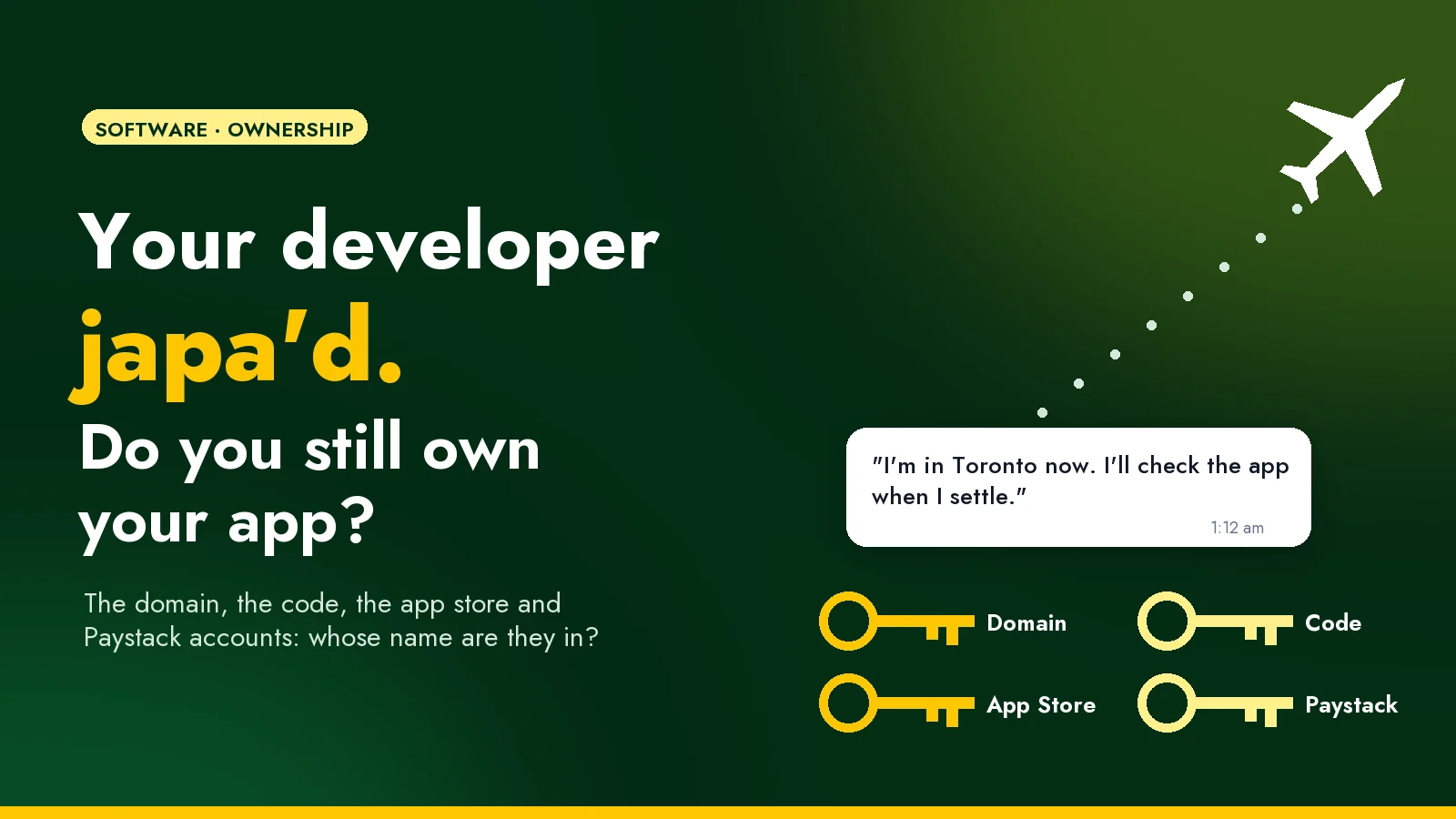
The message comes in at 1:12am.
"Boss, I'm in Toronto now. Things are a bit hectic. I'll check the app when I settle."
You're happy for them. Truly. They built your app three years ago, picked up your calls on Sundays, and they've earned the new life. Then on Monday, customers start messaging to say the app won't load. You open Google Play Console to see what's going on, and realise you've never had the login. The app is published under their personal developer account. The domain renewal reminders have been going to their Gmail. Your Paystack keys are in a file on their laptop. And the one person who knows where everything lives is asleep, several hours behind you, in a city where they're still looking for an apartment.
If reading that gave you a small tight feeling in your chest, good. Better now than at 1:12am.
This isn't about developers leaving
Let's get this out of the way: people japa. Developers especially, because their skills travel well. Some of the best engineers you'll ever work with will eventually move to Toronto, Berlin or Manchester, or simply move on to a bigger job in Lagos. That's normal, and nobody should feel guilty about it.
The problem isn't that your developer left. It's that your business was quietly living inside their accounts. The same thing happens when a developer falls ill, changes their number, gets busy with a bigger client, or the two of you fall out over an unpaid invoice. Japa is just the most common way people find out.
The fix starts with one question, asked about everything your business runs on:
Whose name is it in?
The eight things your business must own
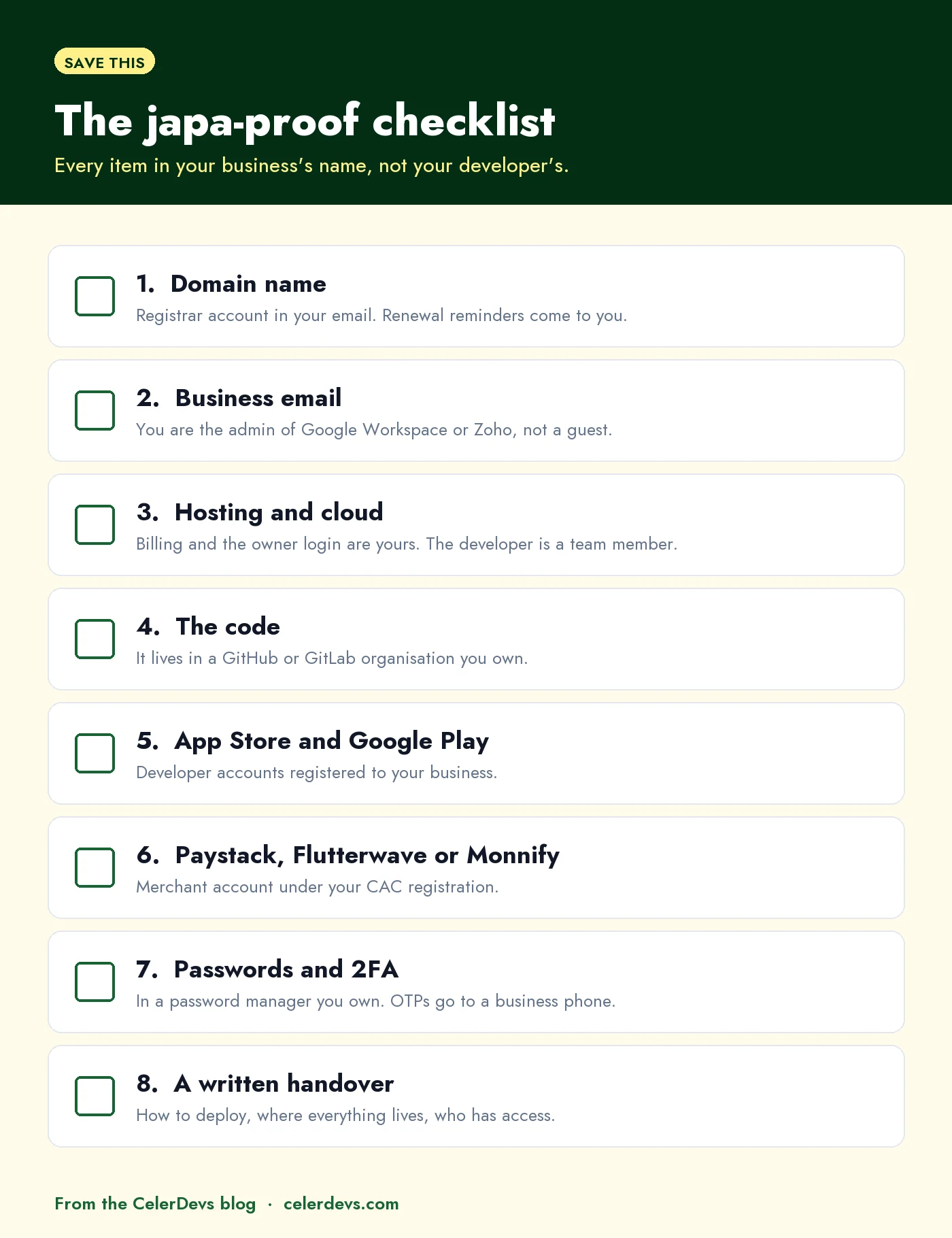
1. Your domain name
Your domain (yourbusiness.com or .com.ng) should be registered to your business, in a registrar account you can log in to, with renewal reminders going to an email you actually read. If the domain expires because the reminder went to someone who has moved on, your website and your company email can stop working on the same day.
Check it now: try logging in to your registrar. If you don't know which registrar it is, that's your answer.
2. Your business email
If your team uses Google Workspace or Zoho Mail for @yourbusiness.com addresses, you should be a super admin, not just a user. Whoever controls the admin account controls every staff mailbox.
3. Hosting and cloud accounts
Whether it's a small shared hosting plan or AWS, the account and the billing should be yours. Your developer gets their own login as a team member. If the card on file is theirs, the day they stop paying is the day your site goes dark.
4. The code
Your code should live in a GitHub or GitLab organisation that your business owns, with your developer added as a member. "They'll send it when I need it" is not a backup plan. If the only up-to-date copy is on one laptop, you don't own your software. You own a relationship with that laptop.
5. Your App Store and Google Play accounts
This is the one that hurts most, because it's the hardest to fix later. Plenty of apps are published under a developer's personal account simply because it was quicker at the time.
Your business should have its own developer accounts:
- Apple Developer Program: $99 a year. Registering as an organisation needs a D-U-N-S number, a free business identifier from Dun & Bradstreet. Getting one can take anywhere from a few days to a few weeks.
- Google Play: a one-time $25 fee. Organisation accounts also need a D-U-N-S number, and the same number works for both.
Yes, it's paperwork. It's also the difference between owning your app and renting it from someone in another country.
6. Paystack, Flutterwave or Monnify
Your payment gateway account should be registered to your business, with your CAC documents, settling into your business bank account. Your developer needs API keys to connect it, and they can get those as a team member on your account. They should never own the merchant account your customers pay into.
7. Passwords and two-factor codes
Keep every login in a password manager your business owns (Bitwarden and 1Password both have business plans), and share access from there.
Then check where the two-factor codes go. If the OTP for your hosting or your app store goes to your developer's Nigerian number, and they're now on a Canadian SIM, nobody can log in. Not you, and some days not even them. Put two-factor on a business phone or an authenticator app the business controls.
8. A written handover
A short document that covers how to release a new version, where everything lives, which outside services the app depends on (SMS, email, maps, payments), and who currently has access. Two pages is enough. It turns "only Tunde knows" into "any competent developer can pick this up".
Access, not ownership
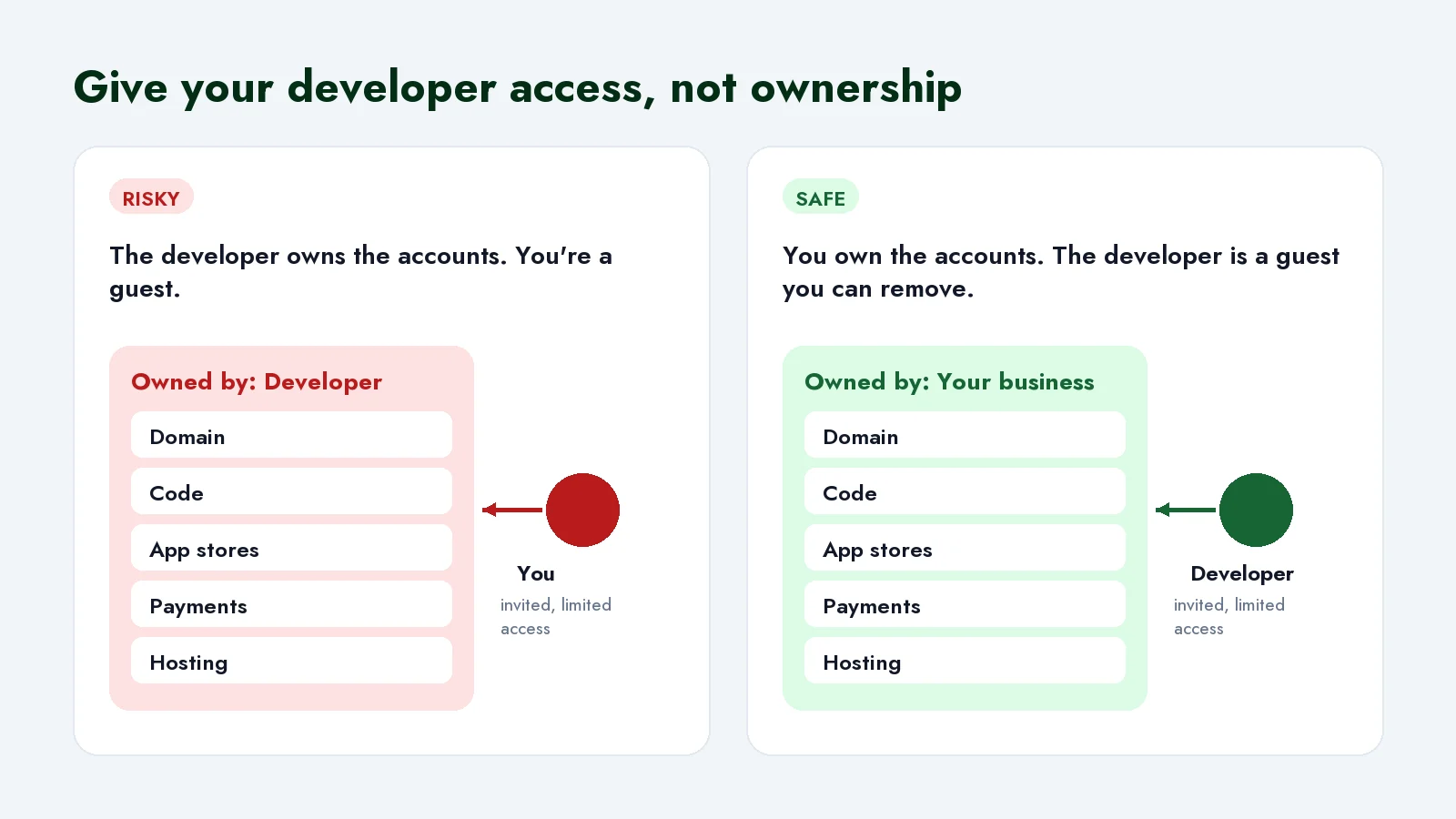
The principle behind all eight is simple: your business owns the accounts, and your developer is invited in. Every platform above lets you add team members with their own login and limited permissions. When someone leaves, you remove their access in one click and nothing else changes.
It protects good developers too. Nobody wants to be the person holding a former client's app hostage, even by accident.
Already in this situation? Here's how to get it back
Start by asking, nicely. Most of the time the developer isn't refusing. They're busy, far away and drowning in their own move. Make it easy for them: send one clear list of what you need.
- Domain: ask them to change the registrant to your business and give you the transfer code (sometimes called an EPP or auth code), or to move the domain into an account you control.
- Code: ask them to transfer the repository to a GitHub organisation you've created, or to make you an owner.
- Apple app: the developer starts a transfer in App Store Connect and you accept it in yours. Apple checks a few conditions first, for example the app needs at least one approved version and nothing waiting for review, so expect some back and forth. The app stays live while it moves.
- Google Play app: once your own account is set up, request a transfer through Google Play's support form with the app's package name and both accounts' details. The listing, users, ratings and reviews move with it.
- Payment and hosting accounts: these usually can't be transferred. Open new ones in your business's name, then have a developer switch the app over and retire the old ones.
If the developer can't be reached at all, it gets harder but not hopeless. Contact the domain registrar with your business documents and ask about their ownership-dispute process. As long as you control the domain and your customer data, an app can be rebuilt. What you can't get back is the time, which is why the cheapest fix is the one you do this week.
How to hire so this never happens
Put it in the agreement before any work starts:
- Accounts are created in the client's name. The developer can set them up, but with the client's email and details.
- The client owns the code once it's paid for. That's an intellectual property clause, and any lawyer can add one.
- Handover is part of the job. The final payment is released after the documentation and access are delivered.
- Access is removed at the end of the engagement, and the client confirms it.
A good developer will agree to all four without blinking. If someone pushes back, that tells you something useful before you've spent a kobo.
At CelerDevs, this is how we work by default: accounts are set up in our clients' names from day one, and every project ends with the code, the access and the documentation handed over.
Your developer can japa. Your business shouldn't have to go with them.
If you're not sure what you own today, send us a message or book a 30-minute call. We'll go through the checklist with you and tell you plainly what's at risk. And if your app was built by someone who has since moved on, our maintenance and support work starts with exactly this kind of check.
Frequently asked questions
Is it okay for my developer to create the accounts for me?
Yes, as long as they're created with your business's details and an email address you control, and you hold the main login. Developers often set these up because they know the platforms, and that's fine.
My app is on my developer's Apple account. Will moving it take it off the store?
No. The app stays live during the transfer, and its ratings and reviews come with it. Some records, like past sales and finance reports, don't move, so download them first.
What's a D-U-N-S number and how do I get one?
It's a free nine-digit business identifier from Dun & Bradstreet that Apple and Google use to verify organisations. You can request one during Apple's developer enrolment. It can take a few days to a few weeks, so start before you need it.
What should I do the day a developer leaves?
Remove their team access everywhere, change any passwords they knew, replace the API keys they had (payment gateway, SMS, email), and check that someone else can release a new version without them.
Dealing with something like this in your business?
Talk to us